
Choose the volunteer jobs you will do
Tell your church which volunteer jobs you are willing to do, such as meals or hospital visits. You also see the volunteer jobs you have coming up.
Who can do this: members whose role has View or Edit access to Volunteers. If you do not see the Volunteering tab, ask your church admin. The church’s own admin login is not a member and does not see it.
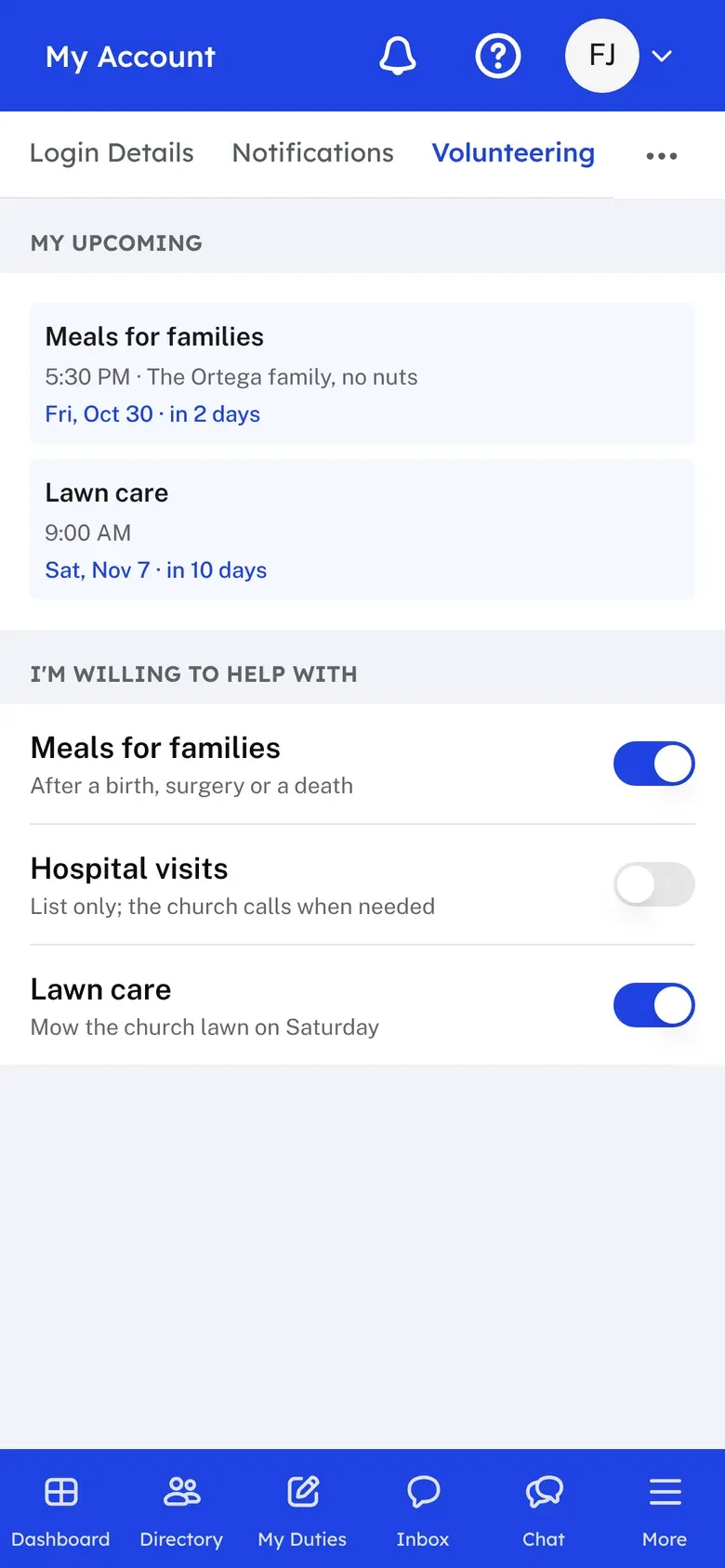
- On a computer, click My Account at the bottom of the menu. On a phone, tap Menu, then My Account.
- Click the Volunteering tab. On a phone, slide the row of tabs to see it.
- Under I’m willing to help with, turn on the switch for each job you will help with. Turn it off to stop.
Each change saves at once.
Your upcoming jobs
Section titled “Your upcoming jobs”My upcoming lists the jobs your church has published for you, from today on, with the date, the time and any note. Jobs your church has not published yet do not show. When your church publishes a new job, you also get an email, “New Volunteer Assignment” (or “New Volunteer Assignments” for several).
Your next three jobs also show on your Dashboard, on the Upcoming Volunteer Assignments card. The card shows only when you have a job coming up. Click View all on the card to open this tab.
If you cannot do a job, tell your church office so they can find someone else.
Messages you may see
Section titled “Messages you may see”- “You have no volunteer assignments coming up.”: Your church has not given you a job yet.
- “Your church has not listed any volunteer jobs yet.”: There is nothing to choose yet.
Still stuck?
Section titled “Still stuck?”Use the Contact support page, or email [email protected]. Tell us your church name and what you tried.
Was this page helpful?
We record searches and page feedback, with no names, emails or IP addresses, to improve these articles.