
See income and expenses over time
Look at the charts to see how much came in and went out, and how it compares with your budget.
Who can do this: You need View or Edit access to Finance Tracker. If you do not see Finance Tracker in the menu, ask your church admin.
With View access, you see the Charts tab, the Budget tab if your church turned budgets on, and the Reports tab (see Print finance reports for the elders). You see totals and categories only. With Edit access, you also see the other tabs and the online giving box.
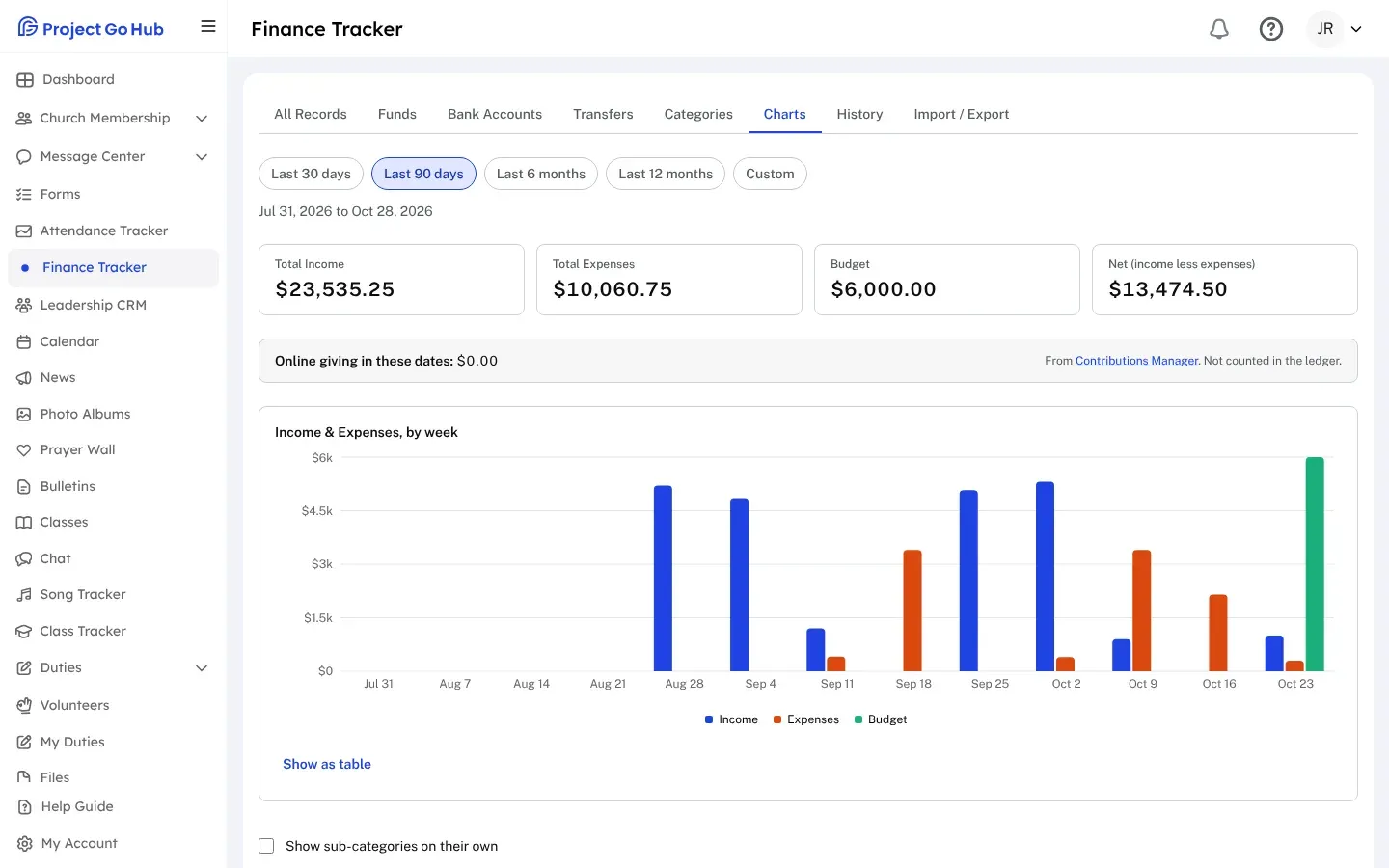
- Open the Finance Tracker. On a computer, click Manage > Attendance & Records > Finance Tracker in the menu. On a phone, tap Menu at the bottom, then go to Manage > Attendance & Records > Finance Tracker.
- Click the Charts tab. With View access, it opens at once.
- Click a period: Last 30 days, Last 90 days, Last 6 months or Last 12 months. For other dates, click Custom, then choose From and To.
The dates you chose show under the buttons.
What the page shows
Section titled “What the page shows”| Part | What it shows |
|---|---|
| Four totals | Total Income, Total Expenses, Budget, and Net (income less expenses) |
| Online giving in these dates | The online gifts in Contributions Manager for the same dates. It is not counted in the totals. Only roles with Edit access see it. |
| Income & Expenses | A bar chart of income, expenses and budget. Each bar is a week for up to 92 days, and a month for longer periods. |
| Income by Category | How much income each category had. A sub-category is added into its parent, with a line such as Includes Kenya $1,500.00. |
| Expense by Category | How much each category spent, with sub-categories added in the same way |
To read the bar chart as numbers, click Show as table under it.
To see each sub-category as its own bar, tick Show sub-categories on their own. Each one shows with its parent’s name, for example Missions › Kenya. This box is there only when you have sub-categories.
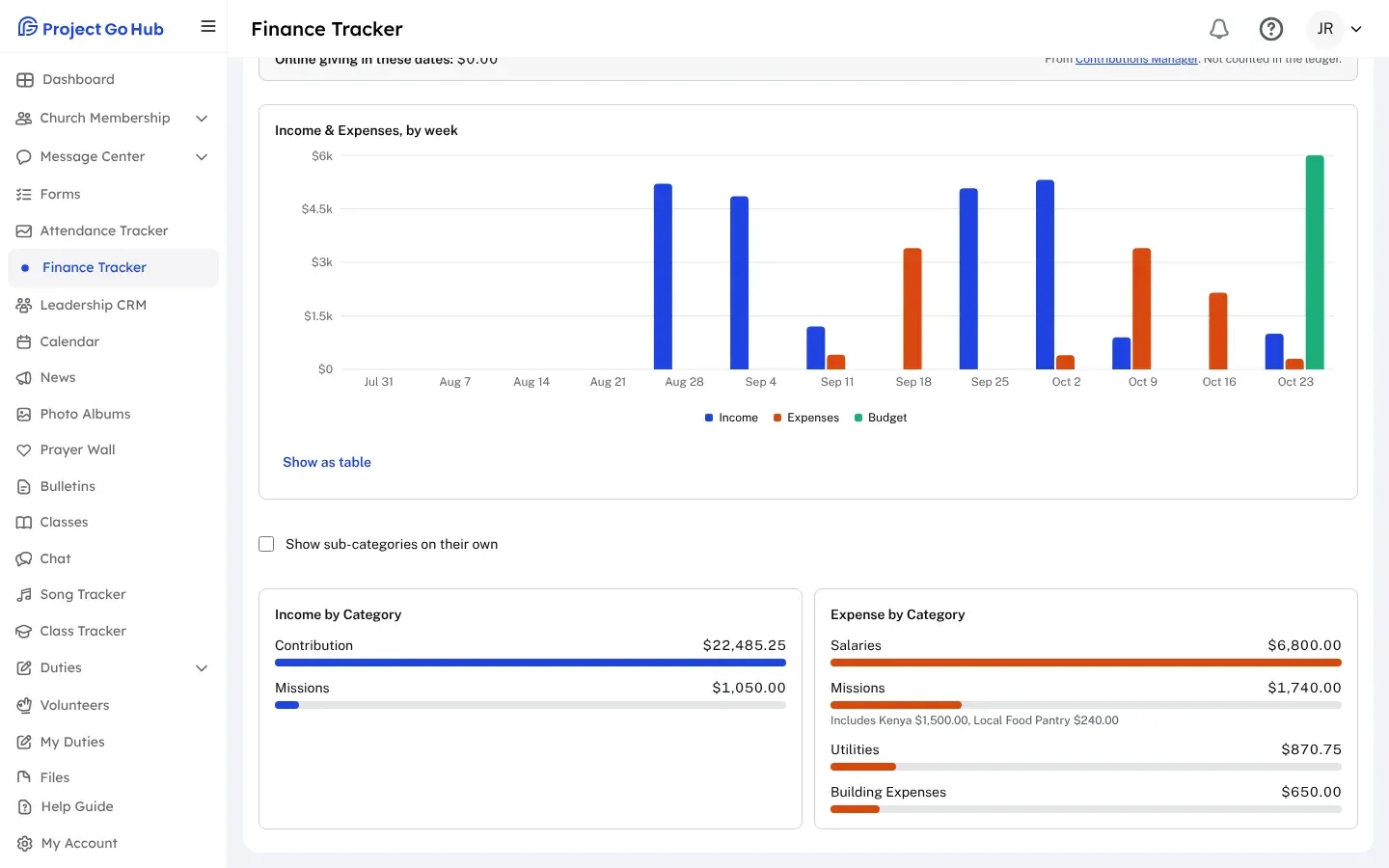
When a category list has nothing for the dates, it says No records in these dates.
Good to know
Section titled “Good to know”- Net is income less expenses. Budget records do not change it.
- Void records are not counted anywhere on this page.
- Transfers between bank accounts or funds are not income or expenses, so they are not on this page. See Move money between accounts or funds.
- A split record counts under each line’s category.
- Budget shows as its own bar, the sum of the budget records in each week or month.
- With View access, you see totals only. You do not see individual records, funds, bank accounts, transfers, categories, history, or Import / Export, and you cannot change anything.
- A role with View access also sees a Recent Finances card on the Dashboard. See Use the Dashboard.
- To add or fix records, see Add an income, expense or budget record.
Still stuck?
Section titled “Still stuck?”Use the Contact support page, or email [email protected]. Tell us your church name and what you tried.
Was this page helpful?
We record searches and page feedback, with no names, emails or IP addresses, to improve these articles.