
See your duties
My Duties shows the duties you are assigned to, grouped by date.
Who can do this: anyone whose church role includes My Duties. If you do not see My Duties in the menu, ask your church admin.
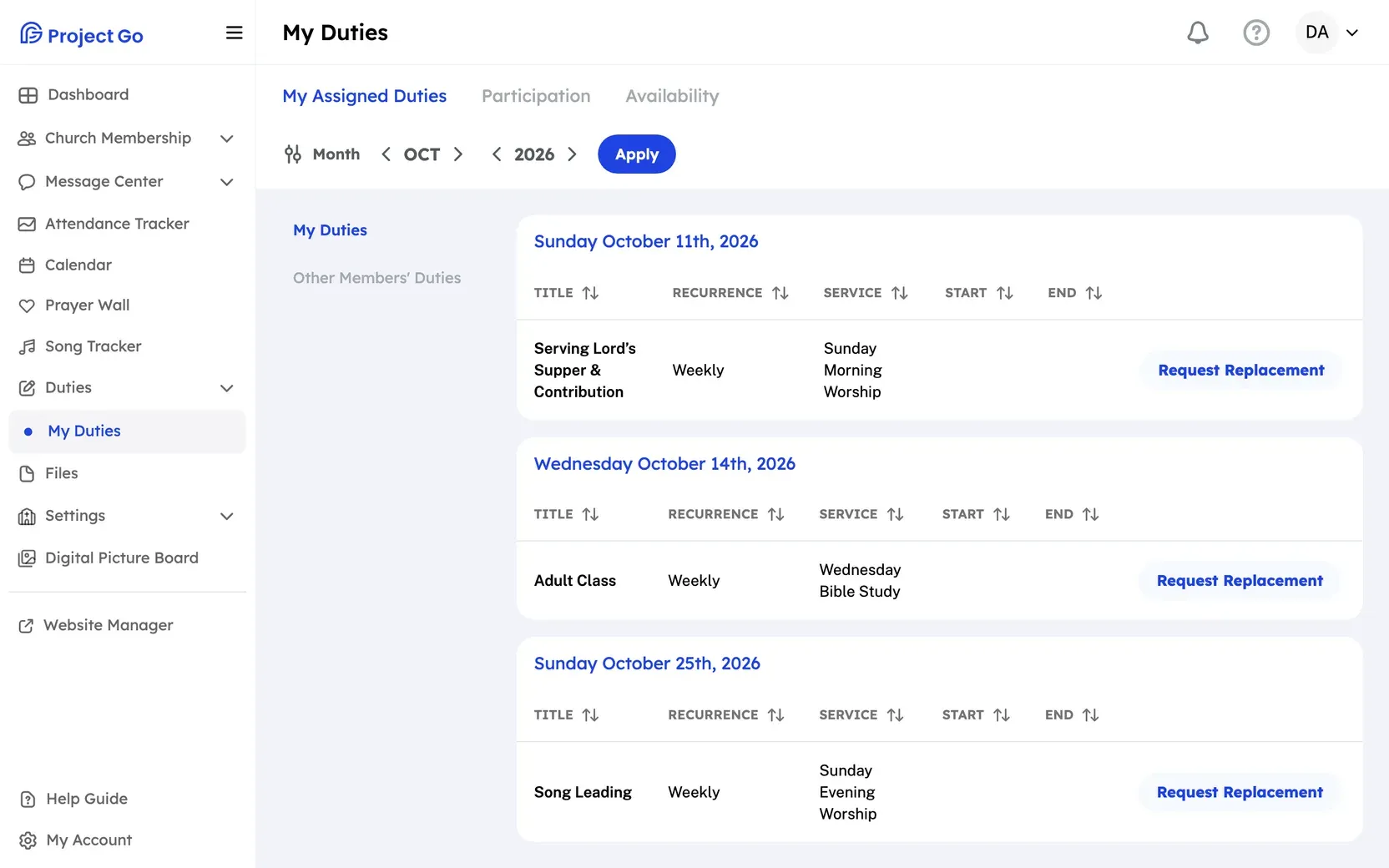
- On a computer, click My Duties in the menu. On a phone, tap the My Duties tab.
- Click the My Assigned Duties tab.
- Use the arrows to choose the month and the year.
- Click Apply.
What you see
Section titled “What you see”- Your duties are grouped by date.
- Each duty shows its name, its service, how often it repeats, and its start and end time if it has one.
- A duty you have confirmed shows a Confirmed badge.
- If you have no duties that month, you see “No Duties assigned for the selected month.”
Next steps
Section titled “Next steps”Still stuck?
Section titled “Still stuck?”Email info@project-go.com. Tell us your church name and what you tried.
Was this page helpful?
We record searches and page feedback, with no names, emails or IP addresses, to improve these articles.