
Split a record across funds or categories
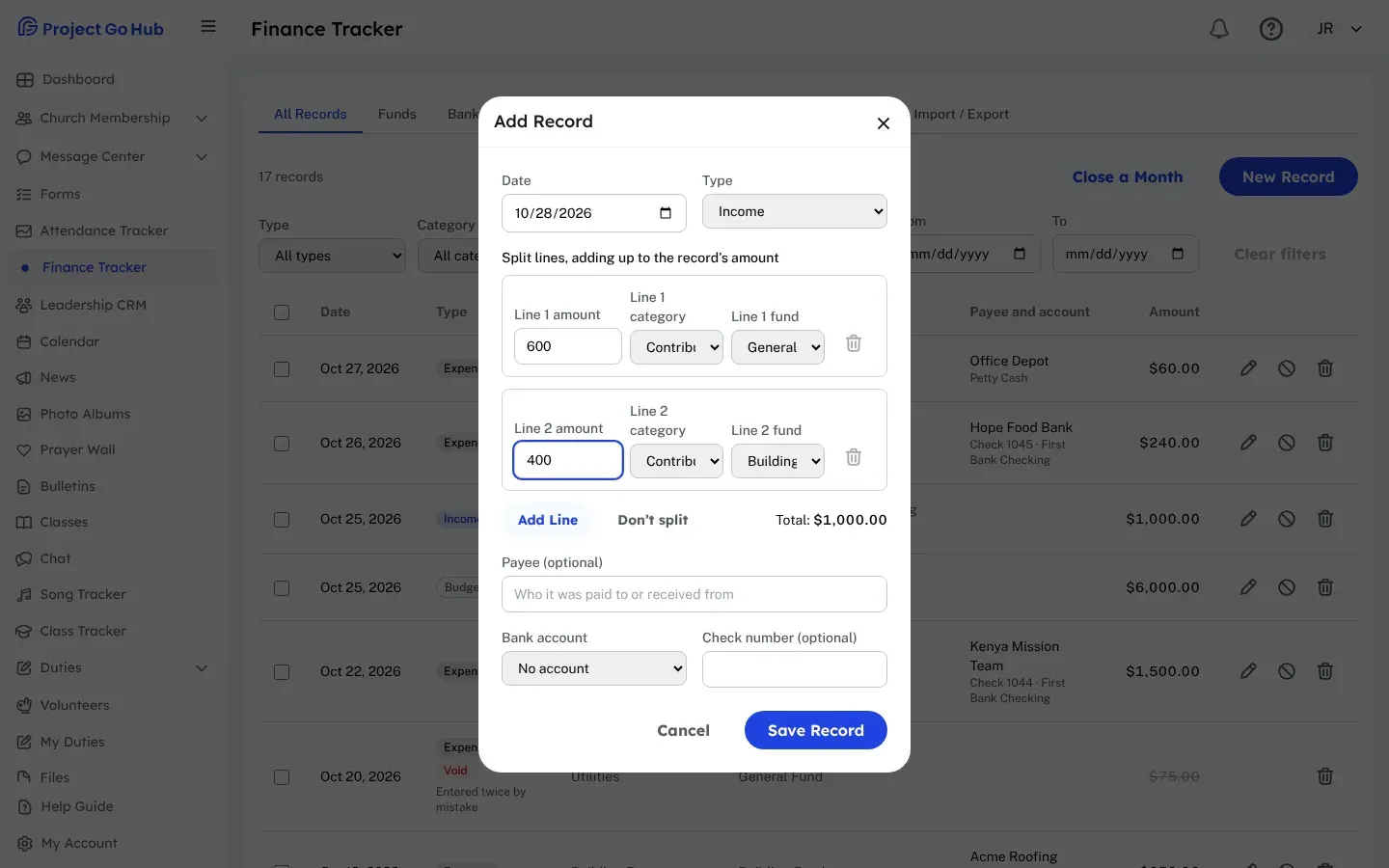
Do this when one amount belongs in more than one place. For example, a $1,000.00 offering where $600.00 is for the General Fund and $400.00 is for the Building Fund.
Who can do this: You need Edit access to Finance Tracker. If you do not see Finance Tracker in the menu, ask your church admin.
- Open the Finance Tracker. On a computer, click Manage > Attendance & Records > Finance Tracker in the menu. On a phone, tap Menu at the bottom, then go to Manage > Attendance & Records > Finance Tracker.
- On the All Records tab, click New Record.
- Choose the Date and the Type.
- Click Split across funds or categories. The Amount box goes away. Two lines appear.
- On each line, type the amount in Line 1 amount, Line 2 amount and so on. Then choose its category in Line 1 category and its fund in Line 1 fund, and the same for the other lines.
- To add a line, click Add Line. To take one away, click the trash can on that line.
- Check Total under the lines. It is the amount of the whole record.
- Click Save Record.
The record shows in the list as one row. Its Amount is the total. Its Category and Fund show Split: and the names used.
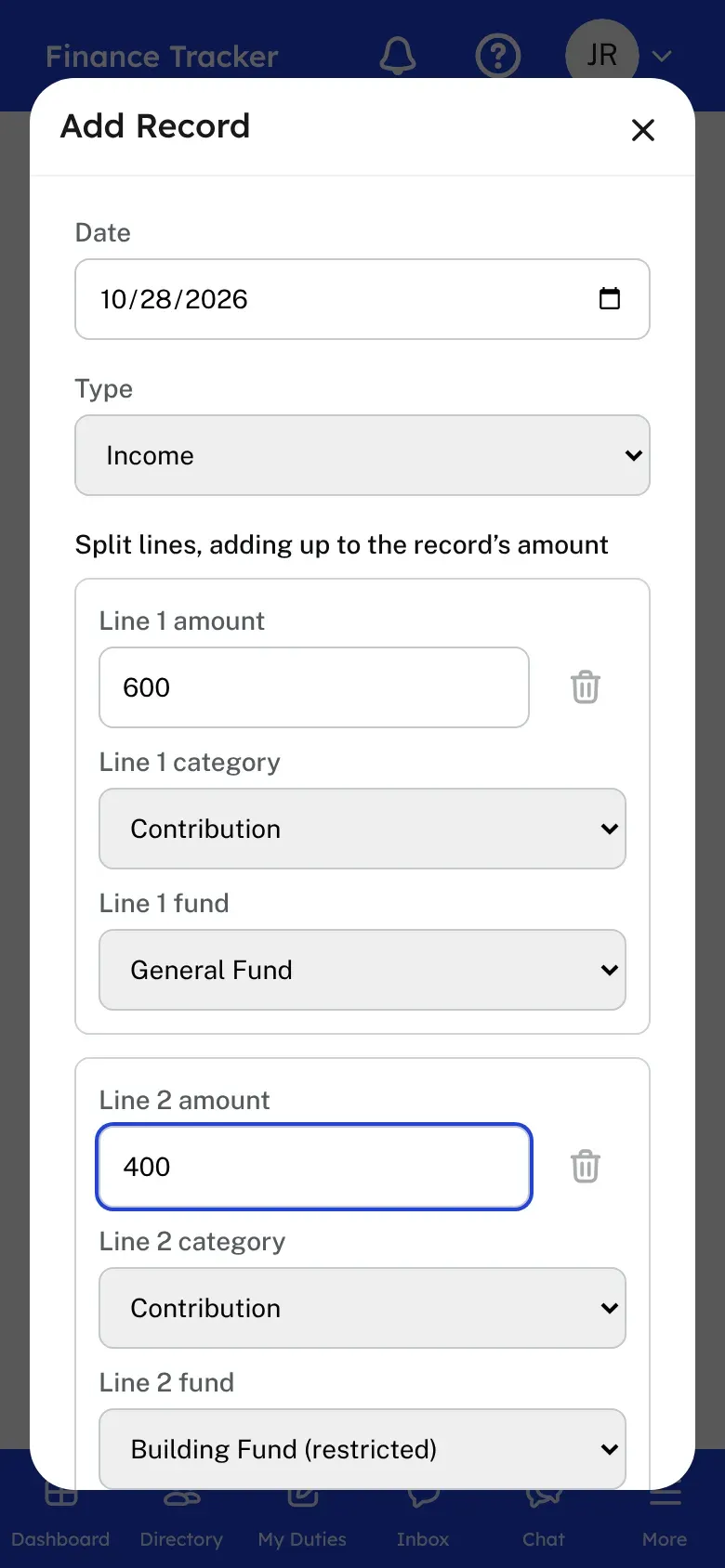
On a phone, each line is a box with its amount, category and fund one under the other. Slide the window up to reach Add Line, Total and Save Record.
Change or undo a split
Section titled “Change or undo a split”To change the lines, click the pencil next to the record. The lines open. Change them and click Save Record.
To make it one amount again, click Don’t split in the window. The first line’s category and fund are kept, and Total becomes the Amount.
Good to know
Section titled “Good to know”- A split record has 2 to 50 lines. The trash can is off when there are only two lines. Add Line is off at 50.
- Total is worked out for you from the lines, so the lines always add up to the record. It shows a dash until every line has a good amount. Each amount must be more than 0, with at most two numbers after the dot.
- All lines together can be at most 20,000,000.00.
- The Date and Type are the same for every line.
- Charts, fund balances, the Category and Fund filters and the export all use each line, not the whole record. See See income and expenses over time.
- The export has one row for each line. See Import or export finance records.
- The History tab says a split record was “split 3 ways”, for example.
Still stuck?
Section titled “Still stuck?”Use the Contact support page, or email [email protected]. Tell us your church name and what you tried.
Was this page helpful?
We record searches and page feedback, with no names, emails or IP addresses, to improve these articles.