
Set up funds
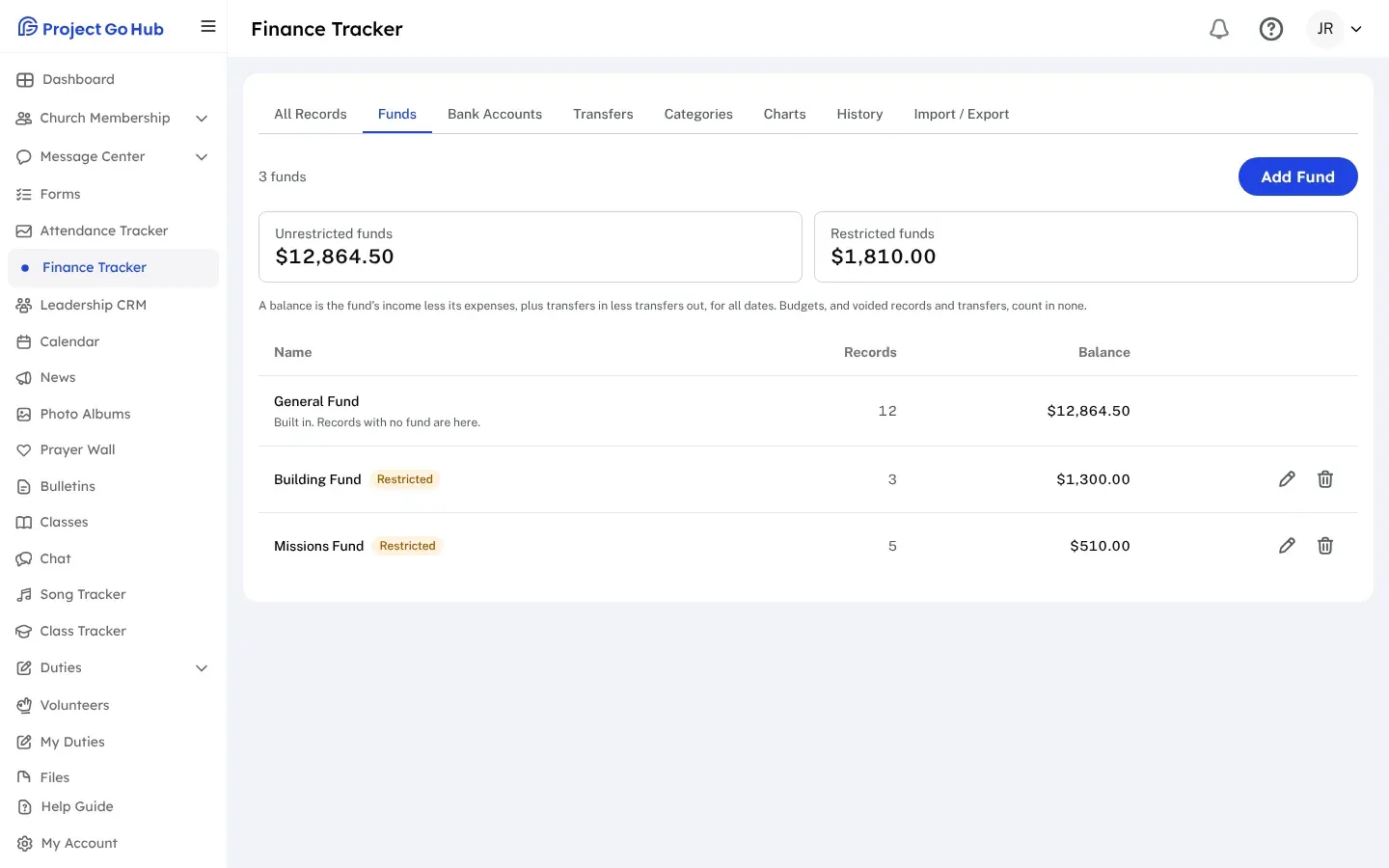
A fund is a place where you keep money set apart for a purpose, for example a Building Fund or a Missions Fund. Every record can be put in a fund.
Every church has one fund built in, the General Fund. A record with no fund chosen is in it. You do not need to set it up.
Who can do this: You need Edit access to Finance Tracker. If you do not see Finance Tracker in the menu, ask your church admin.
Add a fund
Section titled “Add a fund”- Open the Finance Tracker. On a computer, click Manage > Attendance & Records > Finance Tracker in the menu. On a phone, tap Menu at the bottom, then go to Manage > Attendance & Records > Finance Tracker.
- Click the Funds tab. On a phone, if you do not see the tab, slide the tabs sideways.
- Click Add Fund.
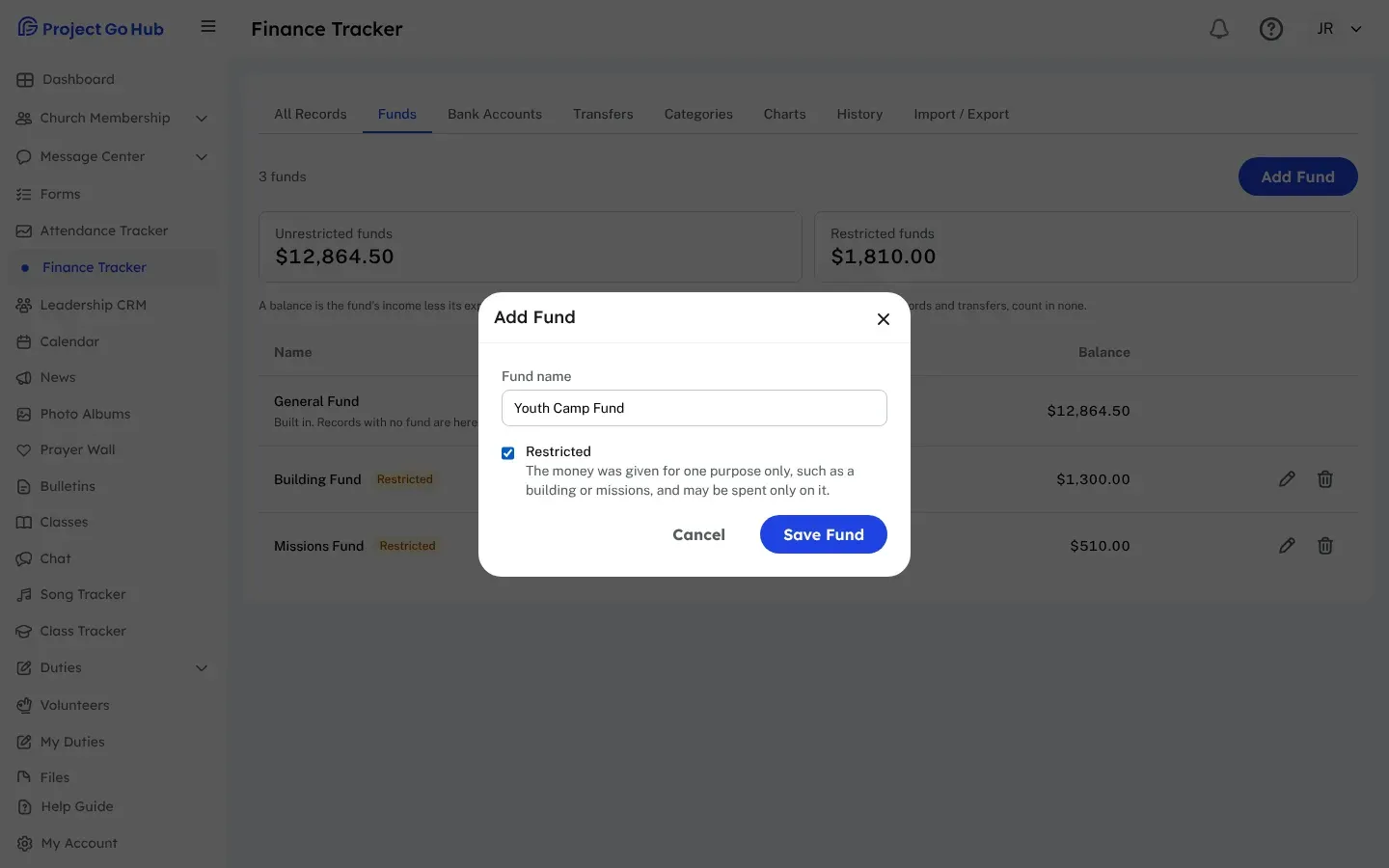
- Type the Fund name.
- If the money was given for one purpose only, tick Restricted.
- Click Save Fund.
Rename a fund or change Restricted
Section titled “Rename a fund or change Restricted”- On the Funds tab, click the pencil next to the fund.
- Change the name, or tick or untick Restricted.
- Click Save Fund.
Its records stay in the fund, with the new name.
Delete a fund
Section titled “Delete a fund”- On the Funds tab, click the trash can next to the fund.
- Click Delete Fund.
Read the balances
Section titled “Read the balances”At the top of the Funds tab, two boxes show the total of your Unrestricted funds and of your Restricted funds. A restricted fund has a Restricted mark beside its name.
Each fund shows its Balance. The balance is the fund’s income less its expenses, plus transfers in, less transfers out, for all dates. See Move money between accounts or funds. The Records column shows how many records are in the fund. On a phone, this column is hidden.
Good to know
Section titled “Good to know”- A fund says what the money is for. A bank account says where the money is kept. One bank account can hold money from several funds. To track your bank accounts, see Set up bank accounts.
- Restricted means the money was given for one purpose only, such as a building or missions. The mark is a reminder. It does not stop you from adding a record.
- The General Fund has no pencil or trash can. It cannot be renamed or deleted.
- A fund that any record, transfer or deposit uses cannot be deleted, even if it is void. The window says so and offers only Close. Rename the fund instead.
- Two funds cannot have the same name. If you try, you see There is already a fund named “Building Fund”.
- A name can have up to 100 characters.
- Budget records, void records and void transfers are not counted in any balance. See Void a record.
- To choose a fund for a record, see Add an income, expense or budget record. To use more than one fund in one record, see Split a record across funds or categories.
Still stuck?
Section titled “Still stuck?”Use the Contact support page, or email [email protected]. Tell us your church name and what you tried.
Was this page helpful?
We record searches and page feedback, with no names, emails or IP addresses, to improve these articles.