
Let members write messages for approval
Do this when you want members to be able to write an email to other members or to a group, while your office still reads every message first.
Who can do this: You need Edit access to Message Manager. Leaders of a member group cannot use this page unless their role has that access.
- Open Pending Messages. On a computer, click Manage > Communication > Pending Messages in the menu. On a phone, tap Menu at the bottom, then go to Manage > Communication > Pending Messages.
- Turn on Let members write to members and groups.
You see “Members can now write messages for approval.” Under the switch you read: “On: members see My Messages in the Message Center. Email only; every message waits here for approval.”
To stop it, turn the switch off. You see “Members can no longer write messages.”
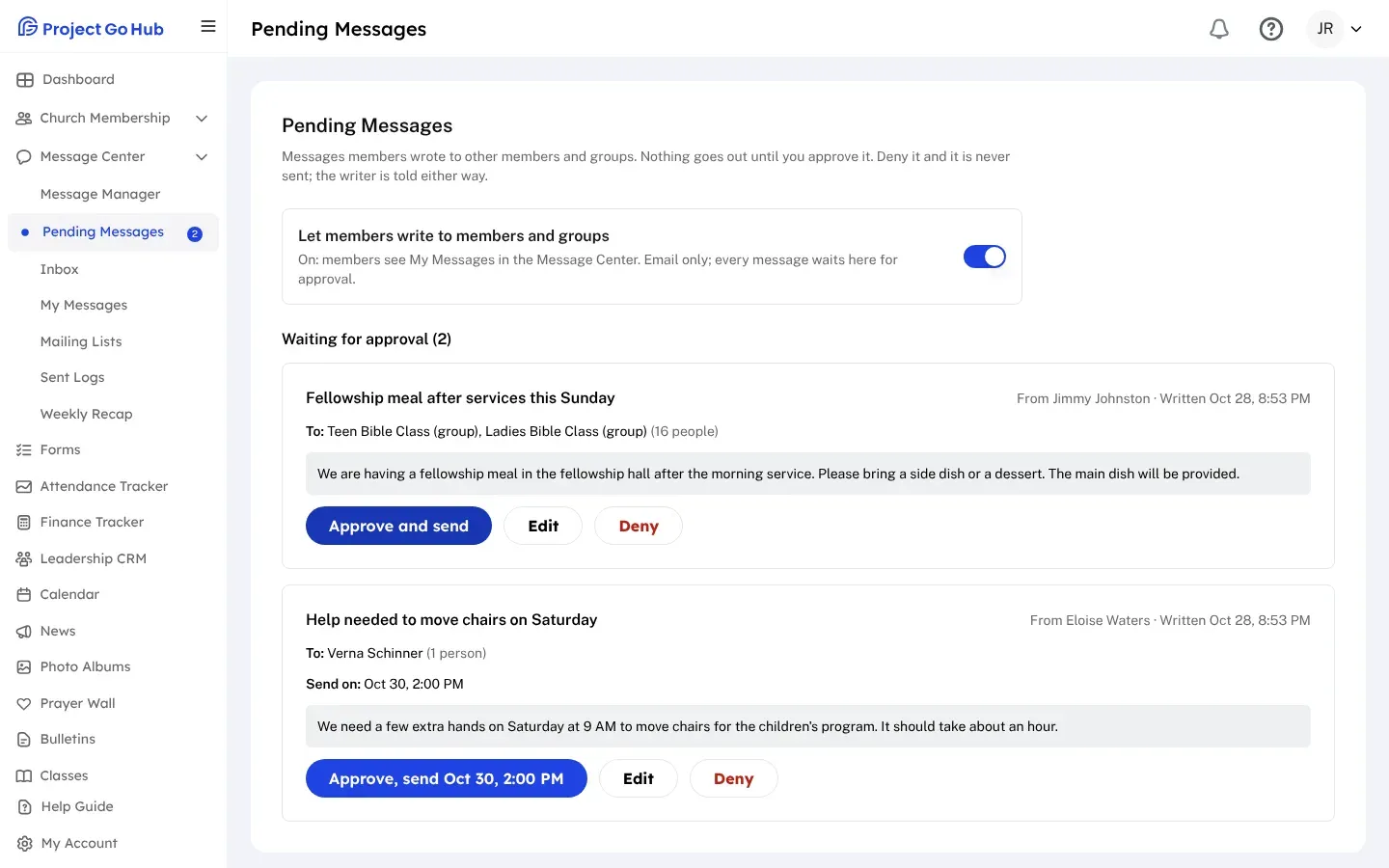
What members see
Section titled “What members see”When the switch is on, members whose role has access to Inbox see My Messages in their menu. They write the message and send it for approval. See Write a message for approval.
Nothing a member writes is sent until someone approves it. See Approve or deny a member’s message.
Good to know
Section titled “Good to know”- The switch is off until you turn it on.
- Members can write email only. They cannot send texts, add pictures or files, or format the text.
- A member can write to any current member of the church and to any group.
- Each member can write up to 5 messages in 24 hours.
- If your church has turned off Message Manager, member messages stay off, because nobody could approve them. Members do not see My Messages then.
- When you turn the switch off, members lose the My Messages menu item. Messages already waiting stay on Pending Messages for you to approve or deny.
- This is separate from the group setting that lets leaders and members send to their own group right away. See Choose who can send messages to a group.
Still stuck?
Section titled “Still stuck?”Use the Contact support page, or email [email protected]. Tell us your church name and what you tried.
Was this page helpful?
We record searches and page feedback, with no names, emails or IP addresses, to improve these articles.