
Find a member
The Member Directory lists the people and families in your church. Search it to find someone.
Who can do this: You need View or Edit access to Member Directory.
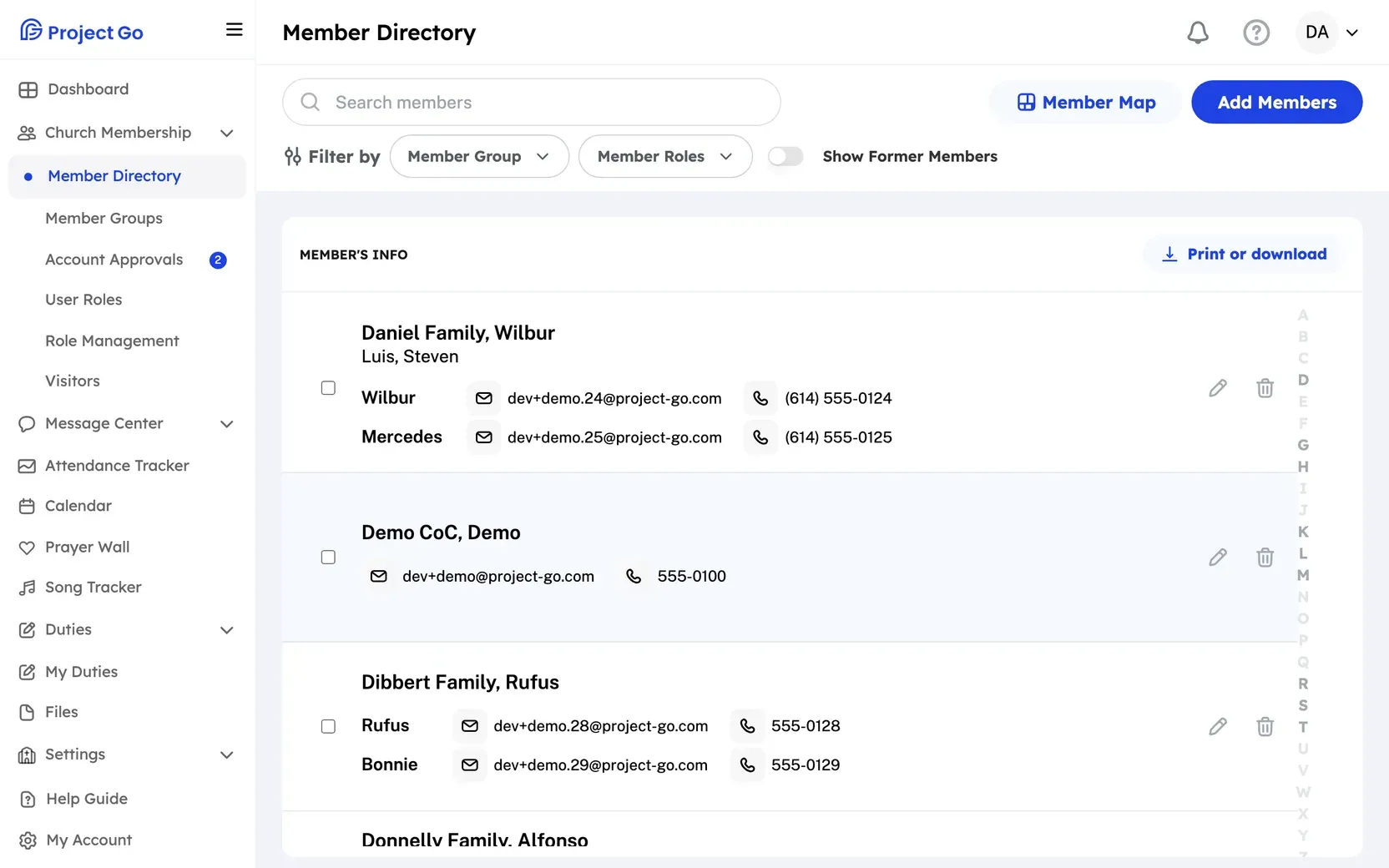
- On a computer, click Church Membership in the menu, then Member Directory. On a phone, tap Directory in the bottom bar.
- At the top, click Search members.
- Type part of a first name, last name or family name.
The list changes as you type. On a computer you can also click a letter on the right side to jump to that part of the list. On a phone, the list has letter headings instead.
Narrow the list with filters
Section titled “Narrow the list with filters”On a phone, the filters are behind the funnel icon next to the search field.
- Click Member Group and check one or more groups to see only their members. You need access to Member Groups to see this filter.
- Click Member Roles and check one or more roles. You need Edit access to see this filter.
- Turn on Show Former Members to add former members to the list. They show with a Former Member label.
Each group or role you pick shows as a small tag under the filters. Click the X on a tag to remove it.
Next steps
Section titled “Next steps”If it does not work
Section titled “If it does not work”On a phone, if your role cannot open the Member Directory, the Directory tab opens the first Church Membership page you can use.
Still stuck?
Section titled “Still stuck?”Email info@project-go.com. Tell us your church name and what you tried.
Was this page helpful?
We record searches and page feedback, with no names, emails or IP addresses, to improve these articles.