
Read and search announcements
Do this when you want to read what the church announced, or find an older announcement.
Who can do this: Your role needs at least View access to News.
- Open News. On a computer, click News in the menu. On a phone, tap Menu at the bottom, then News.
- Click the Announcements tab. The newest announcements are first.
- To find one, type a word from the title or text in Search announcements. The list updates when you stop typing.
- To see a time span, pick a From date, a To date, or both. They match the announcement’s date.
Each announcement shows its title, its text, its date and who posted it.
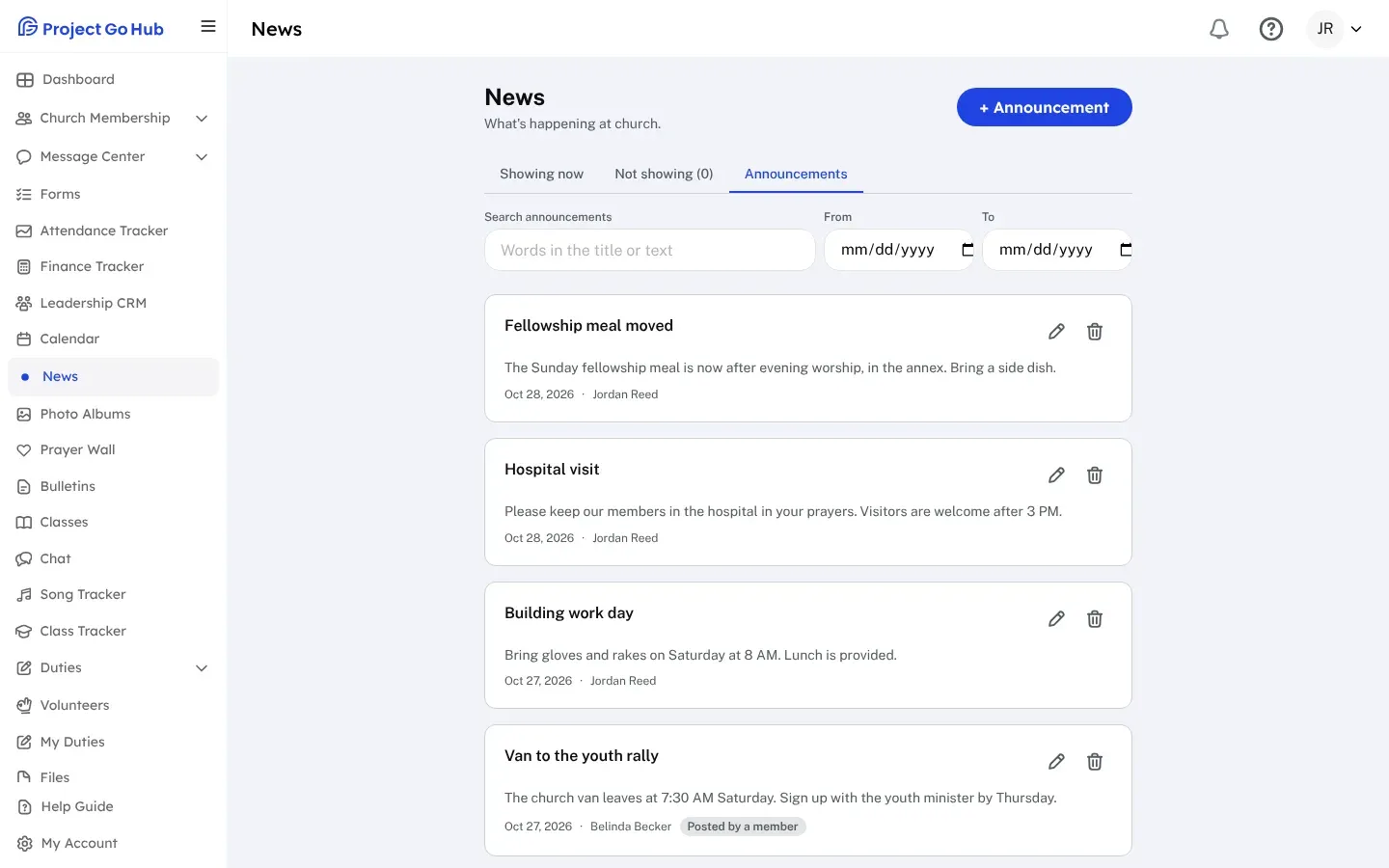
If nothing matches, you see No announcements match. If there are none yet, you see No announcements yet.
Read them on the Dashboard
Section titled “Read them on the Dashboard”The Recent Announcements card on the Dashboard shows the last 5 announcements, with the start of each text. Click View all to open the Announcements tab.
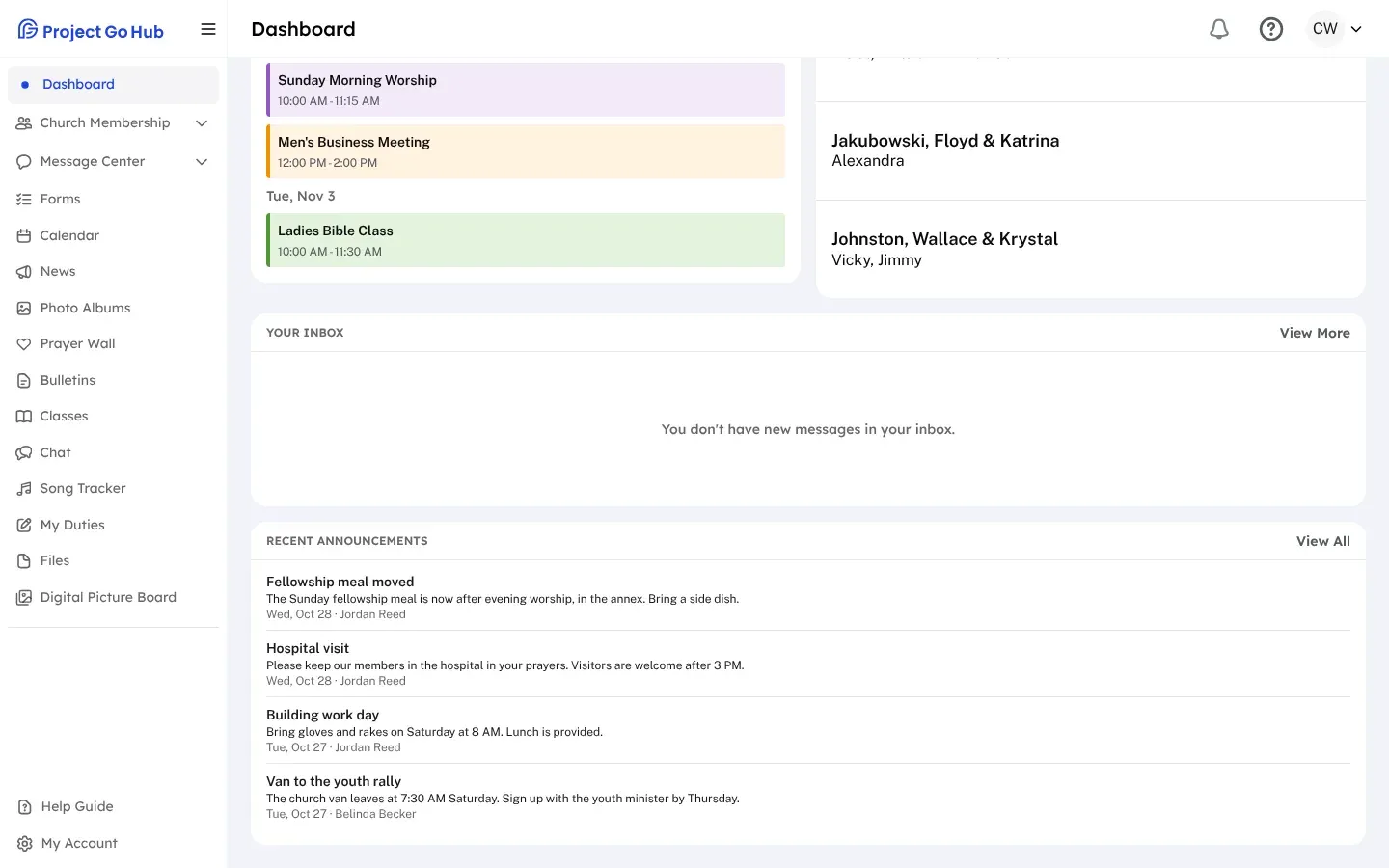
Your church can turn this card off. If you do not see it and want it, ask your church office. See Use the Dashboard.
Good to know
Section titled “Good to know”- To post an announcement yourself, see Post a daily announcement.
- The list shows up to 200 announcements.
- Your church may also email the announcements each day. See Stop or restart the daily announcements email.
Still stuck?
Section titled “Still stuck?”Use the Contact support page, or email [email protected]. Tell us your church name and what you tried.
Was this page helpful?
We record searches and page feedback, with no names, emails or IP addresses, to improve these articles.