
See a member's interests
Do this when you know the member and want to see what they enjoy or can do.
Who can do this: Your role needs Edit access to Member Interests.
- In the menu, under Manage, open Membership, then click Interest Finder. On a phone, tap Menu at the bottom, then go to Manage > Membership > Interest Finder.
- On the Find members tab, click By member.
- Click the box that says “Type a member’s name”. Type a few letters of the name.
- Click the member in the list. Each name shows how many interests the member ticked, for example 5 interests.
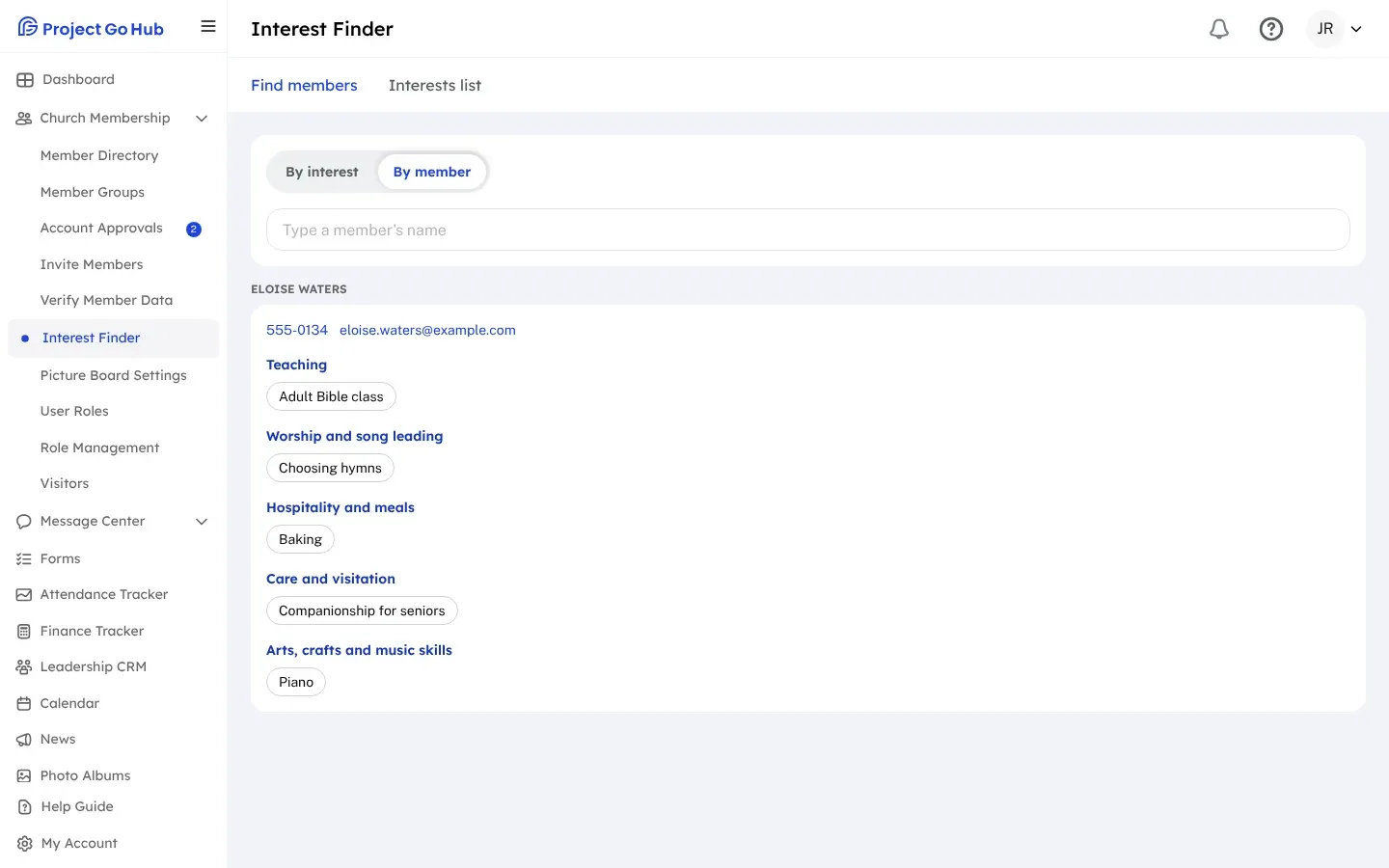
You see the member’s phone and email, then their interests under each group. To look at someone else, type another name.
Good to know
Section titled “Good to know”- If the member has not ticked anything, you see “
has not ticked any interests yet.” - If no name fits what you typed, you see “No match.”
- Interests the church has hidden still show here, with “(hidden)” after the name.
- A phone or email the member hid from other members stays hidden unless you can edit the Member Directory, or the member is in your own family.
- To find members from an interest instead, see Find members by interest.
Still stuck?
Section titled “Still stuck?”Use the Contact support page, or email [email protected]. Tell us your church name and what you tried.
Was this page helpful?
We record searches and page feedback, with no names, emails or IP addresses, to improve these articles.