
Find members by interest
Do this when you need helpers for a job and want to know who could do it, such as a pianist, a carpenter or a Bible class teacher.
Who can do this: Your role needs Edit access to Member Interests. The built-in Admins role has it. Others who open the page by its link go back to the Dashboard.
- In the menu, under Manage, open Membership, then click Interest Finder. On a phone, tap Menu at the bottom, then go to Manage > Membership > Interest Finder.
- Click the Find members tab, then By interest.
- Click the box that says “Type an interest”. Type a few letters. Click the interest in the list. Each match also shows its group, such as Arts, crafts and music skills.
- To search for more than one interest, add another the same way. Click Any of these or All of these (see below).
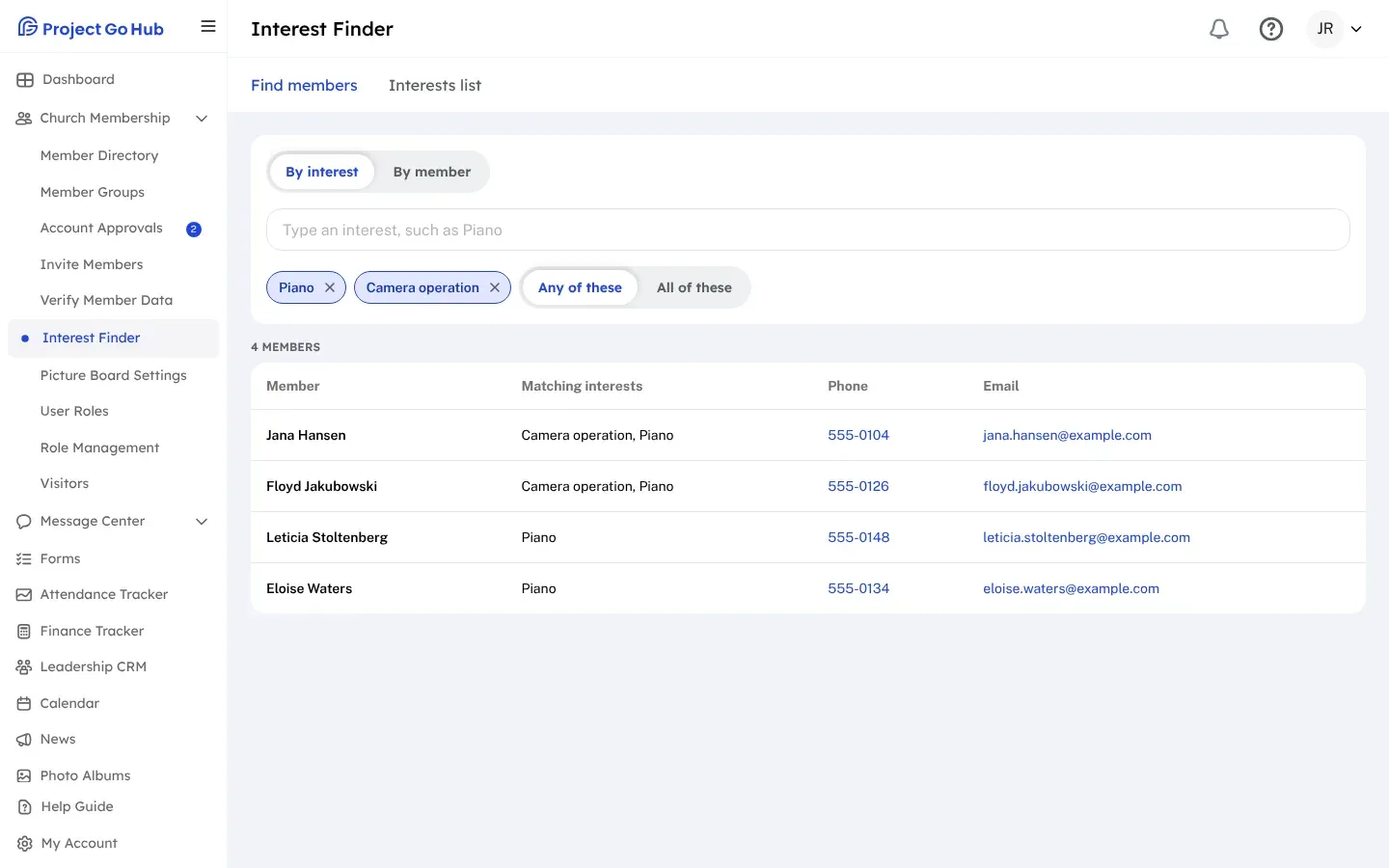
The members appear below. On a computer you see a table with Member, Matching interests, Phone and Email. On a phone you see a list with the same details.
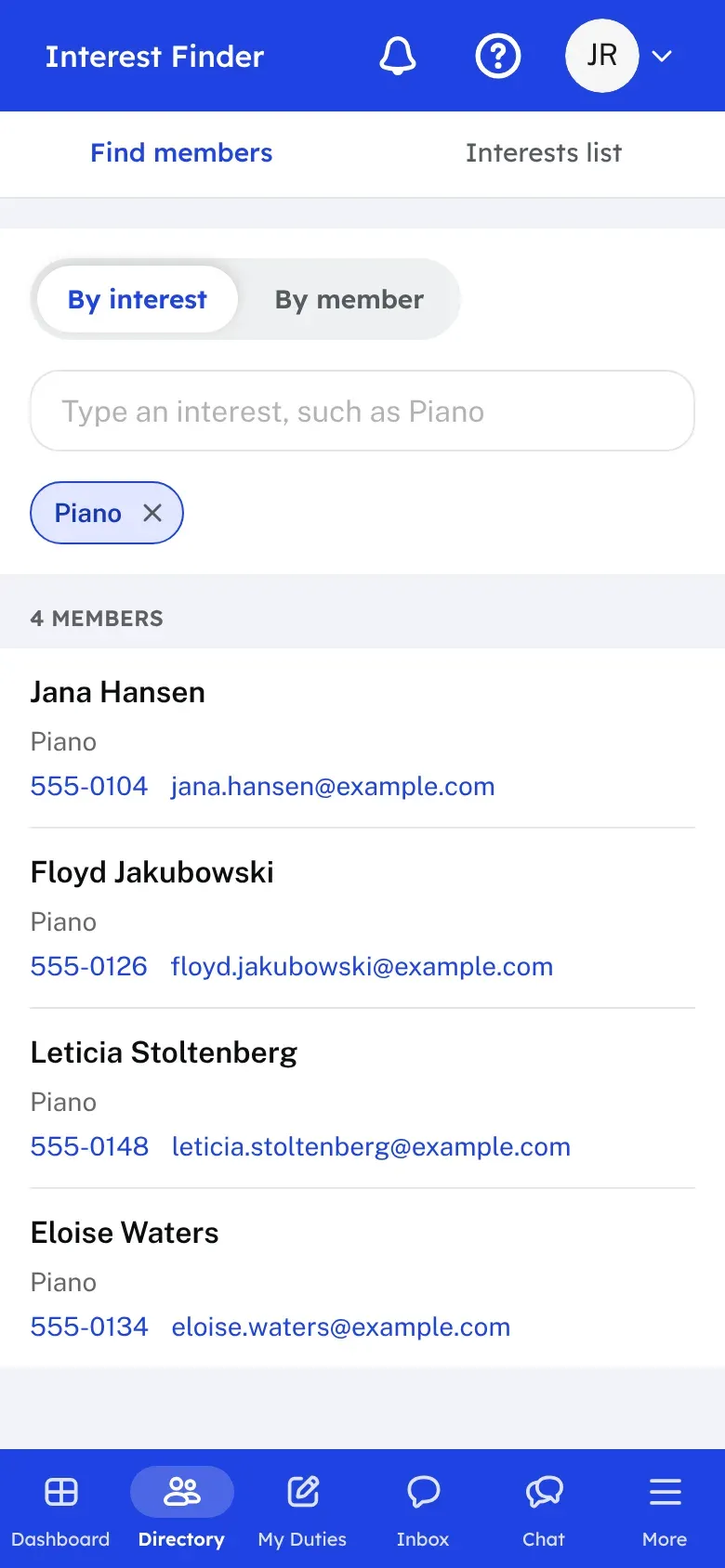
To remove an interest from the search, click the x next to it.
Any or all
Section titled “Any or all”- Any of these lists members who ticked at least one of the interests.
- All of these lists only members who ticked every one.
The two buttons show once you have chosen two or more interests. If nobody matches, you see “No member has ticked these yet.” or “No member has ticked all of these yet.”
Good to know
Section titled “Good to know”- You can search for up to 50 interests at once.
- Click a phone number to call, or an email address to write.
- A phone or email the member hid from other members stays hidden here. You see it only if you can edit the Member Directory, or the member is in your own family. See Hide your phone, email or address.
- Only current members of approved families are listed.
- Interests the church has hidden can still be searched. They show “hidden” next to the group name in the list. See Hide or delete an interest.
- If a member posted an offer on the Community Board with a tag that matches the interest, it shows under Community Board offers, with who offered it.
- To see everything one member ticked, see See a member’s interests.
Still stuck?
Section titled “Still stuck?”Use the Contact support page, or email [email protected]. Tell us your church name and what you tried.
Was this page helpful?
We record searches and page feedback, with no names, emails or IP addresses, to improve these articles.