
Add a service
A service is a regular meeting of your church, such as Sunday worship. Duties are the jobs each service needs, such as leading singing or a prayer.
Who can do this: Your role needs Edit access to Duty Manager.
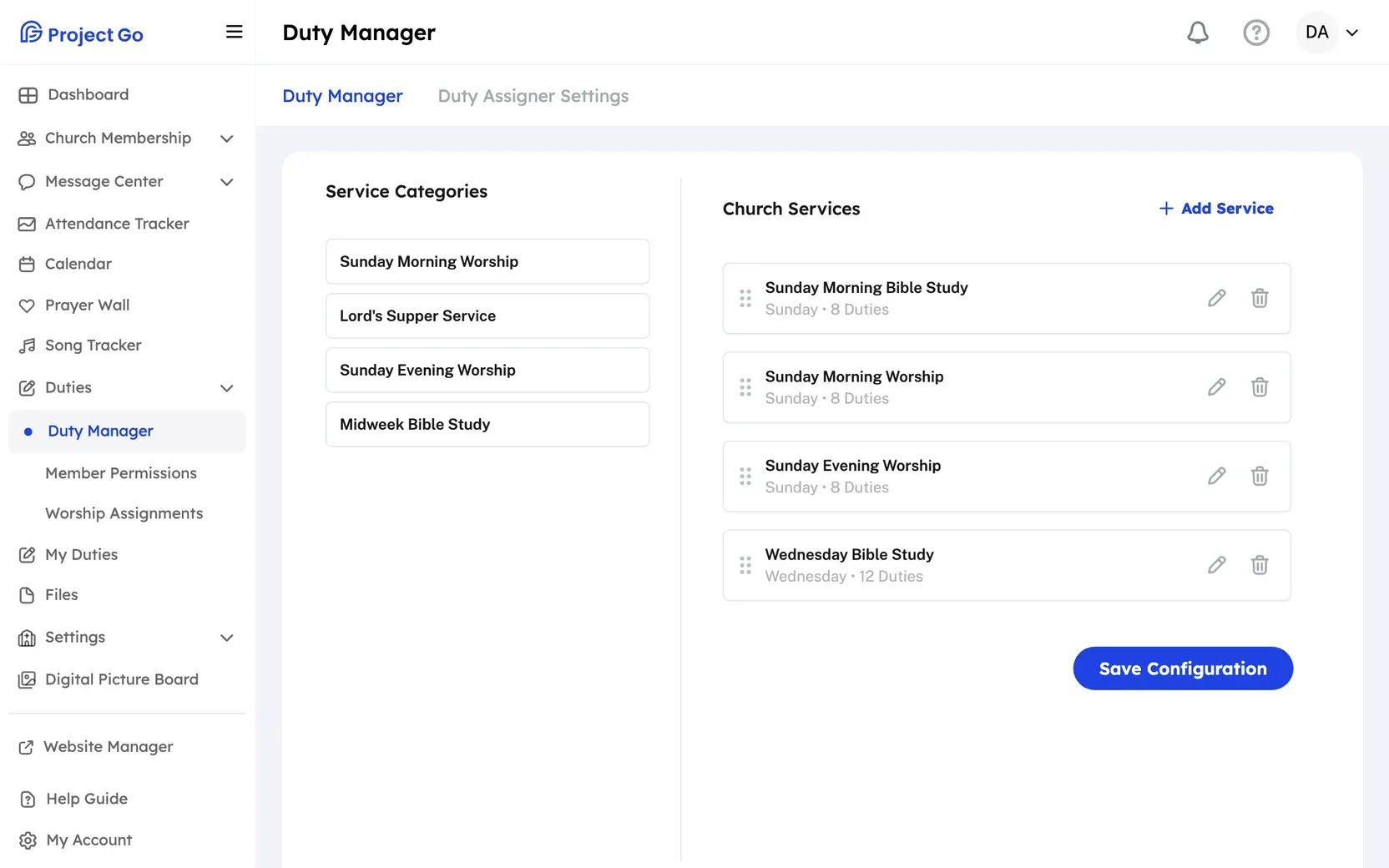
- On a computer, click Duties in the menu, then Duty Manager. On a phone, tap More, then Duties, then Duty Manager.
- Next to Church Services, click Add Service.
- Click a service category in the list.
- Click Start From Template to begin with the typical duties for that service. Click Start From Scratch to begin with no duties.
- Under Service Information, fill in the fields in the table below.
- Add or change the duties. See Add duties to a service.
- Click Save Configuration.
On a computer, you can also drag a category from Service Categories on the left onto the services area. On a phone there is no Service Categories panel and no dragging. Use Add Service.
| Field | What to enter |
|---|---|
| Service Name: | The name members will see. Required. |
| Week Day: | The day the service meets. Required. |
| Recurrence: | Weekly, Monthly or Quarterly. |
| Start Time: and End Time: | When the service starts and ends. Optional. |
If it does not work
Section titled “If it does not work”- “Service Name is required” or “Day of the week is required”: Fill in the field before you save.
- “Are you sure you want to cancel?”: You are leaving with changes that are not saved. Click No, Go Back to keep working, or Yes, Leave to drop the changes.
Still stuck?
Section titled “Still stuck?”Email info@project-go.com. Tell us your church name and what you tried.
Was this page helpful?
We record searches and page feedback, with no names, emails or IP addresses, to improve these articles.