
Pick your interests and skills
Do this when you want to tell the church what you enjoy, what you are good at, or what you have done before.
Who can do this: Your role needs View access to Member Interests and access to My Account. Every role starts with View, except the built-in Admins role, which starts with Edit.
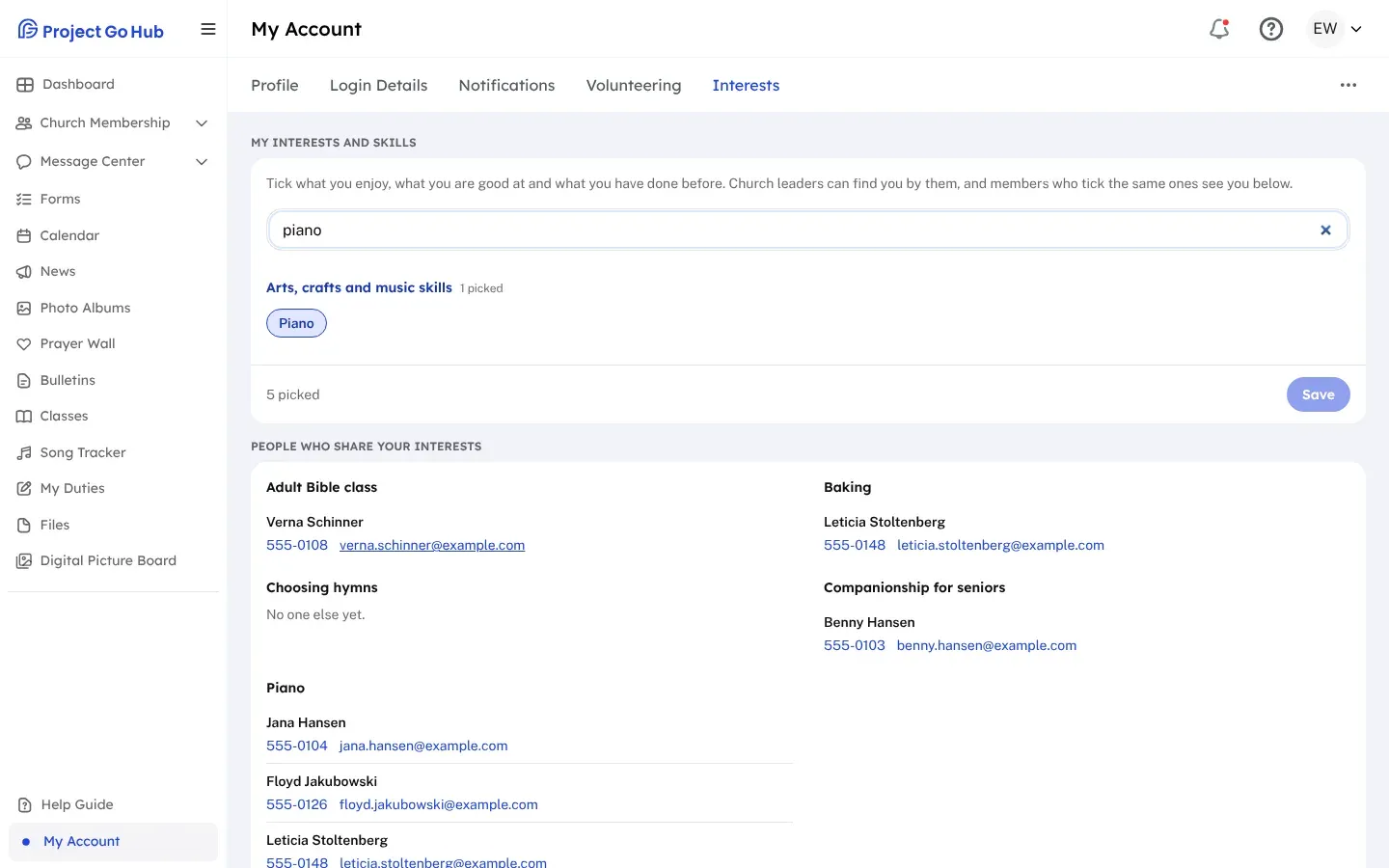
- On a computer, click My Account at the bottom of the menu. On a phone, tap Menu, then My Account.
- Click the Interests tab.
- Find an interest. You can type in the search box, such as “piano”, or open a group such as Teaching or Hospitality and meals.
- Click an interest to tick it. Click it again to untick it. Ticked interests are blue.
- Click Save in the bar at the bottom. You see “Your interests are saved.”
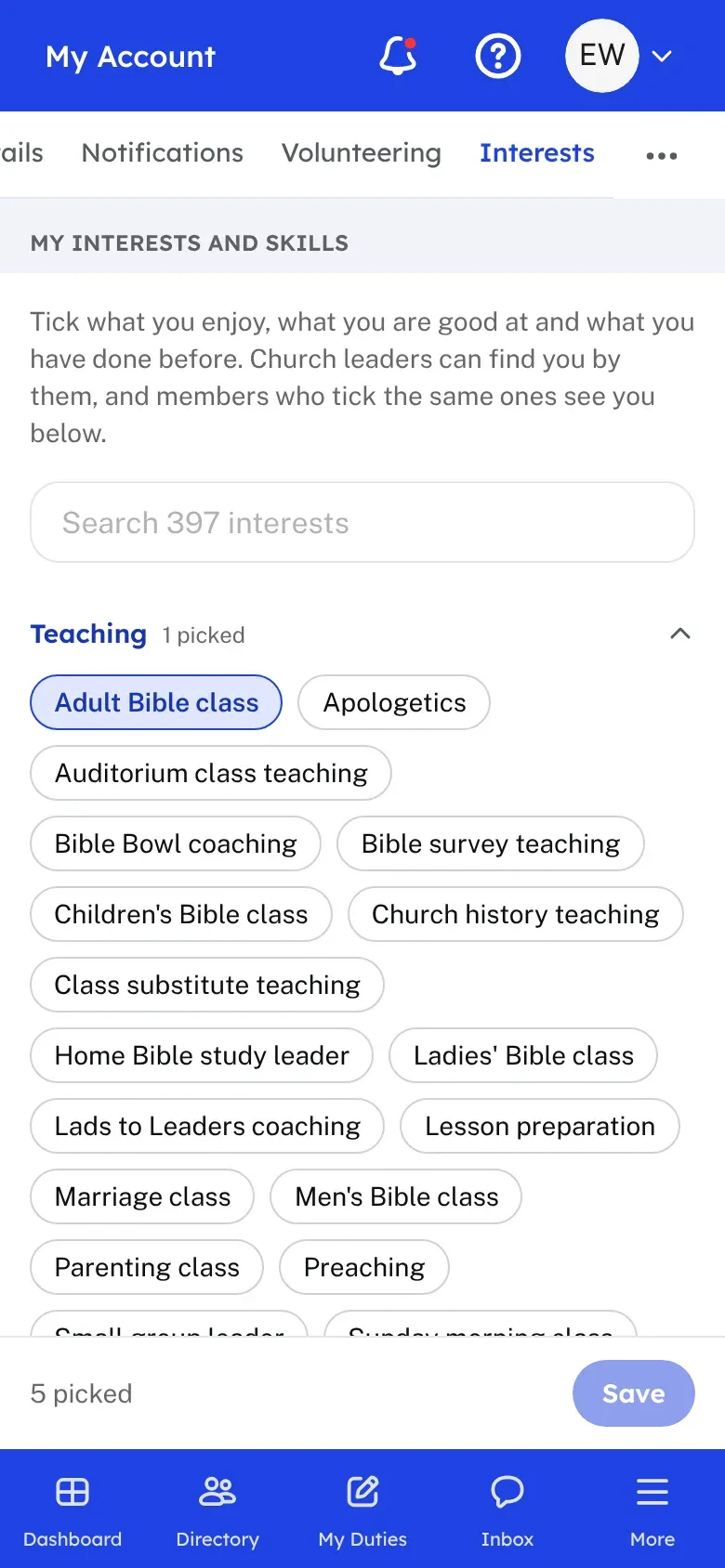
Save stays grey until you change something. The bar at the bottom shows how many interests you have ticked, for example 5 picked.
Good to know
Section titled “Good to know”- Groups where you have ticked something start open. When you type in the search box, every group with a match opens.
- Church leaders can search for members by interest. They see your name, and your phone and email unless you hid them. See Hide your phone, email or address.
- Other members who tick the same interest see your name below, under People who share your interests. See See members who share your interests.
- If the church hides an interest you ticked, it is no longer shown to you, but you stay on it for leaders. You can still pick the others and save.
- If you do not see the Interests tab, your church may have turned this feature off, or your role has No Access to Member Interests. The special admin sign-in made when your church was set up does not have the tab either, because it is not a member.
- If your church has not added any interests, you see “No interests yet” and “When your church lists interests, you can tick yours here.”
Still stuck?
Section titled “Still stuck?”Use the Contact support page, or email [email protected]. Tell us your church name and what you tried.
Was this page helpful?
We record searches and page feedback, with no names, emails or IP addresses, to improve these articles.