
Add, rename or delete a category
A category sorts your records, for example Contribution, Utilities or Missions. A new church starts with no categories. Add the ones your church uses.
One category can hold income, expense and budget records. You do not need a separate category for each type.
Who can do this: You need Edit access to Finance Tracker. If you do not see Finance Tracker in the menu, ask your church admin.
Add a category
Section titled “Add a category”- Open the Finance Tracker. On a computer, click Manage > Attendance & Records > Finance Tracker in the menu. On a phone, tap Menu at the bottom, then go to Manage > Attendance & Records > Finance Tracker.
- Click the Categories tab.
- Click Add Category.
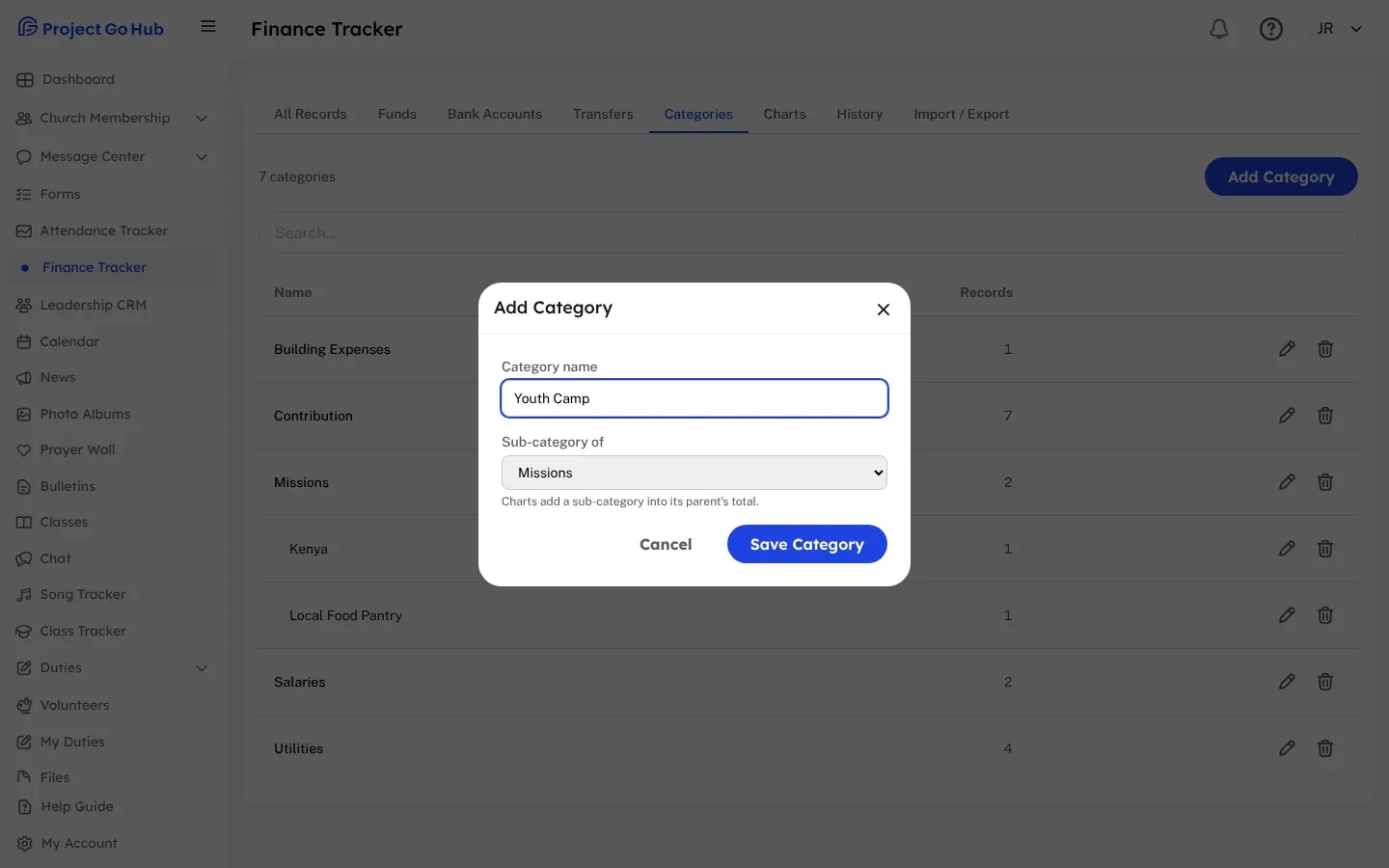
- Type the Category name.
- To make it a sub-category, choose its parent in Sub-category of. Otherwise leave None (a top-level category).
- Click Save Category.
Sub-categories
Section titled “Sub-categories”A sub-category sits under another category, for example Kenya and Local Food Pantry under Missions. On the Categories tab it is listed under its parent, set in a little.
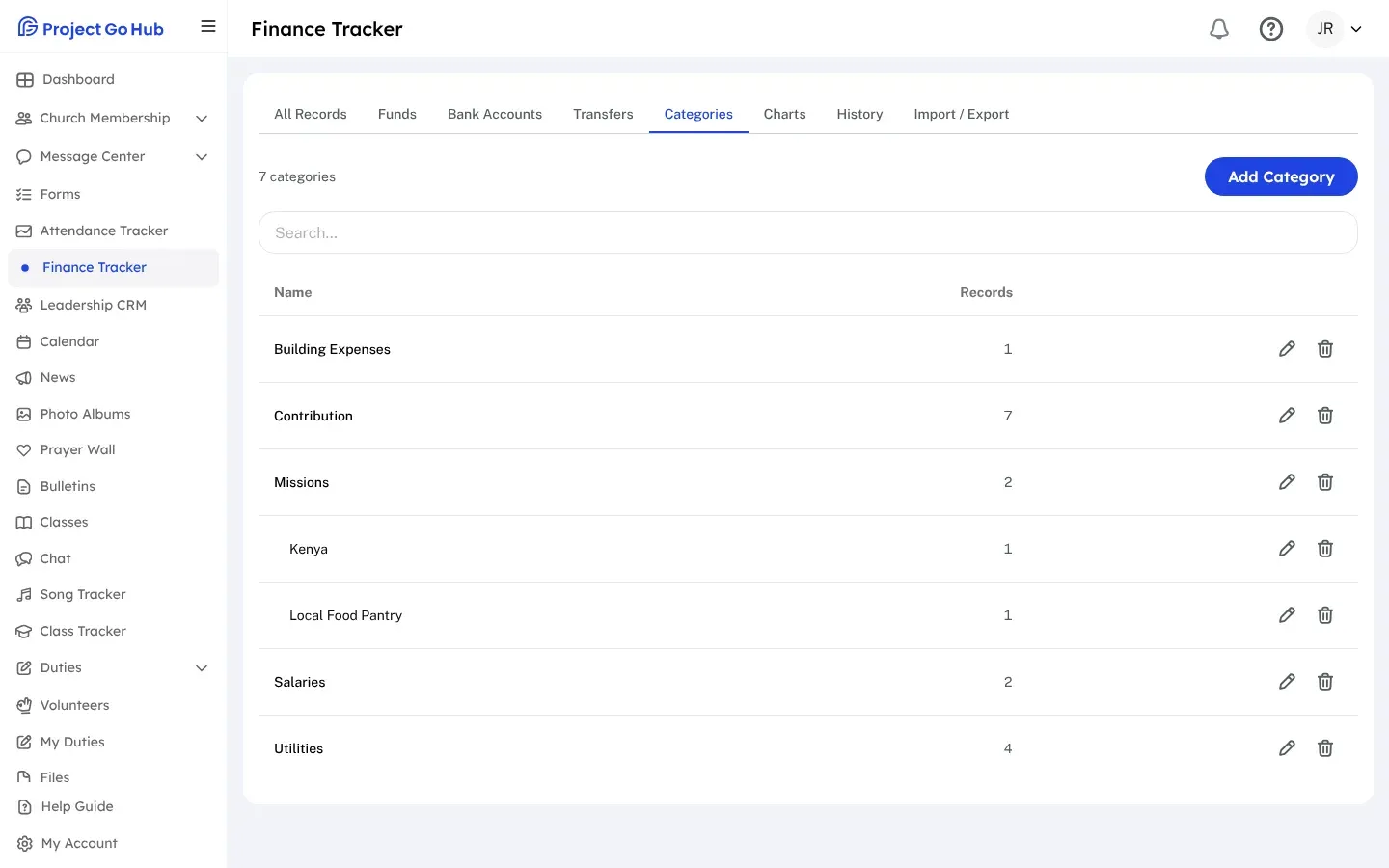
Everywhere else, it shows with its parent’s name, for example Missions › Kenya.
To move a category under another, or back to the top, click the pencil next to it, change Sub-category of, and click Save Category.
Rename a category
Section titled “Rename a category”- On the Categories tab, click the pencil next to the category.
- Change the name.
- Click Save Category.
Its records keep the category, with the new name.
Delete a category
Section titled “Delete a category”- On the Categories tab, click the trash can next to the category.
- Click Delete Category.
Its records are not deleted. They stay, with no category. If it had sub-categories, they move to the top level.
You cannot delete a category that is in a budget. You see a message like this: “Fall Festival” is in the budget for the year starting in 2026, so it can’t be deleted. Remove it from that budget first. If it is in more than one budget, the message names each year. For each year it names, open the Budget tab, choose that Budget year, click the trash can next to the category (Remove … from the budget), and click Save Budget. Then delete the category.
Good to know
Section titled “Good to know”- There is only one level. A sub-category cannot have its own sub-categories, so Sub-category of offers only top-level categories.
- A category that has sub-categories stays at the top level. Its Sub-category of box is off, and says It has sub-categories, so it stays at the top level.
- Charts add a sub-category into its parent’s total. See See income and expenses over time.
- Choosing a parent in the Category filter on All Records also shows its sub-categories’ records.
- The Records column shows how many records use each category.
- To find a category in a long list, type in Search….
- A category cannot be deleted while a record in a closed month uses it. The message says to rename it instead, or reopen the month. See Close a month.
- A split record counts under each line’s category. See Split a record across funds or categories.
- Two categories cannot have the same name. Capital letters and accents do not count, so Cafe and café are the same name.
- A name can have up to 100 characters.
- An import adds any category you do not have yet. See Import or export finance records.
Still stuck?
Section titled “Still stuck?”Use the Contact support page, or email [email protected]. Tell us your church name and what you tried.
Was this page helpful?
We record searches and page feedback, with no names, emails or IP addresses, to improve these articles.